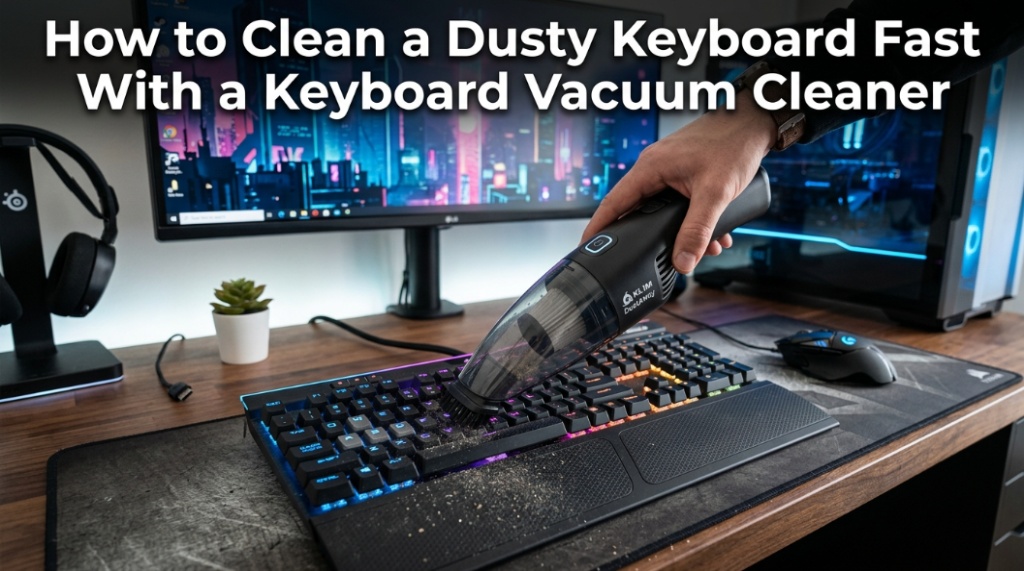
Crumbs inside a keyboard behave like tiny heat blankets. They trap warmth, slow airflow around keys, and quietly turn a smooth typing experience into sticky frustration. A laptop keyboard cleaner is the fastest way to remove trapped dust, crumbs, hair, and debris without dismantling your device or risking moisture damage.
Most people ignore keyboard dust until keys stop responding or the laptop fan starts running louder than usual. That delay creates a bigger problem. Dust buildup can affect key travel, increase bacteria levels on high-touch surfaces, and even shorten hardware lifespan. According to multiple workplace hygiene studies, keyboards can carry more germs than common household surfaces when not cleaned regularly.
A dust vacuum for keyboards solves this problem quickly because it lifts debris directly out of tight spaces instead of pushing it deeper under the keys. Combined with a mini desk vacuum, users can clean workstations, gaming setups, and laptops in minutes.
This guide explains how to clean a dusty keyboard fast, how keyboard vacuum cleaners work, what mistakes to avoid, and how to keep your keyboard clean long-term without damaging sensitive electronics.
What Is a Keyboard Vacuum Cleaner and Why Is It Better Than Regular Cleaning?
A keyboard vacuum cleaner is a compact vacuum designed to safely remove dust and debris from keyboards, laptop vents, and desk accessories without damaging electronics.
Unlike traditional vacuums, keyboard cleaners use lower suction power and smaller nozzles designed for delicate components. Standard household vacuums can create excessive static electricity or pull loose keycaps off mechanical keyboards. A dedicated laptop keyboard cleaner reduces that risk.
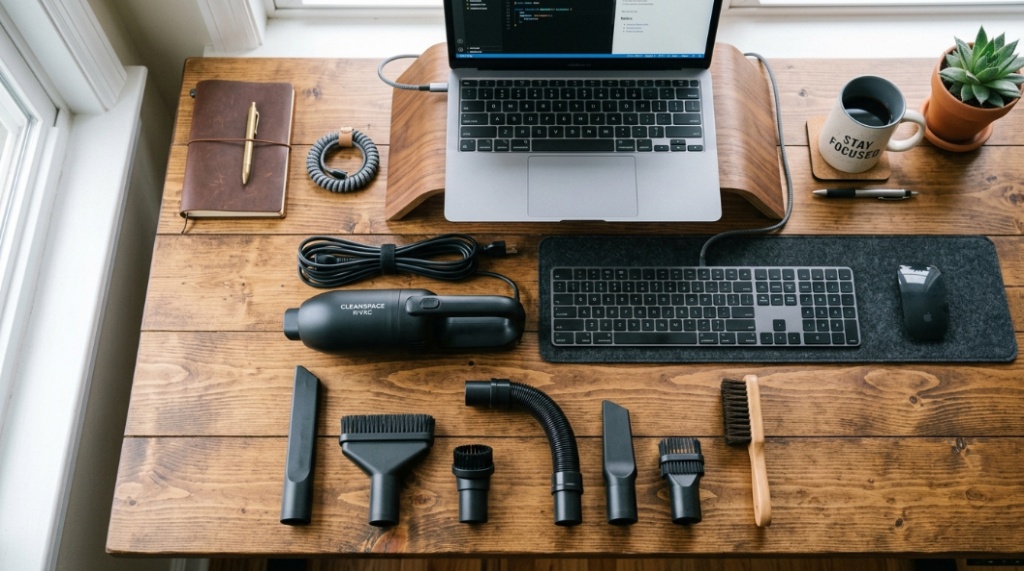
Most modern dust vacuums for keyboards include:
- Soft brush attachments
- Narrow suction nozzles
- USB rechargeable batteries
- Portable handheld designs
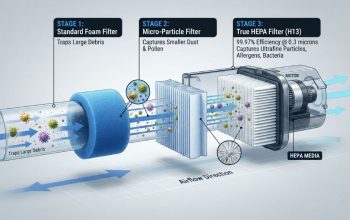
- Washable HEPA-style filters
- LED lighting for tight spaces
These tools work especially well for:
- Laptop keyboards
- Mechanical keyboards
- Gaming setups
- Office workstations
- Car interiors
- Desk drawers and accessories
How Do You Clean a Dusty Keyboard Fast Using a Keyboard Vacuum Cleaner?
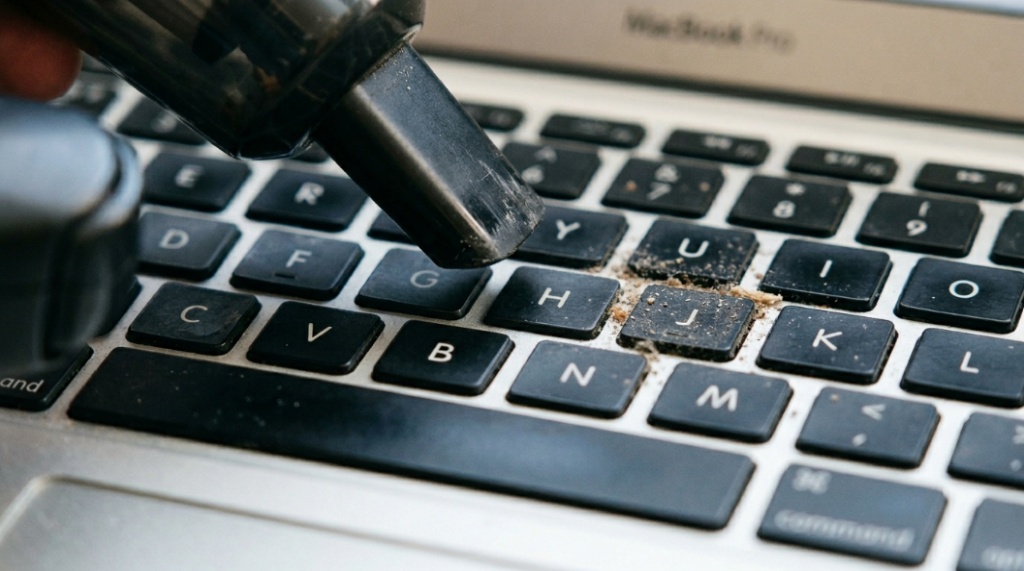
The fastest method is to power off the device, loosen debris with a brush, and vacuum between keys using short controlled passes.
Fast cleaning works best when done in the correct order. Random vacuuming often leaves dust trapped beneath larger keys like the spacebar and Enter key.
Step 1: Turn Off and Unplug the Device
Always power off your laptop or keyboard before cleaning. Disconnect external keyboards and remove charging cables from laptops.
This prevents accidental key presses and reduces the risk of electrical issues.
Step 2: Flip the Keyboard Slightly
Hold the keyboard at a slight angle so loose crumbs fall downward naturally.
For laptops, avoid aggressive shaking. Gentle tilting is enough.
Step 3: Use a Soft Brush Attachment
Brush attachments loosen compacted dust around key edges.
This is important because many particles stick to oil from fingertips.
Step 4: Vacuum Between Keys Slowly
Use narrow suction tips to clean gaps row by row.
Focus on:
- Spacebar edges
- Function keys
- Arrow keys
- Gaming hotkey zones
- Trackpad borders
Step 5: Finish With a Microfiber Cloth
After vacuuming, wipe the keyboard surface using a dry or lightly damp microfiber cloth.
This removes oils and fingerprints left behind after dust removal.
Why Does Dust Build Up So Quickly Inside Keyboards?
Dust accumulates rapidly because keyboards combine static electricity, airflow, skin particles, and food debris in a confined space.
Even clean desks collect microscopic particles every day. Laptop cooling fans also pull airborne dust toward the keyboard area.
Common causes include:
- Eating near the computer
- Pet hair
- Open windows
- Humid environments
- Fabric fibers from clothing
- Dead skin particles
Mechanical keyboards collect even more visible debris because their switches leave wider gaps around keys.
Can Dust Damage a Laptop Keyboard?
Yes. Excessive dust can interfere with key responsiveness, airflow, and long-term hardware performance.
Dust may seem harmless initially, but buildup creates friction beneath keys. Over time, this can cause:
- Sticky keys
- Repeated keystrokes
- Reduced tactile feedback
- Overheating near vents
- Fan noise increases
- Internal contamination
In gaming laptops and ultrabooks, airflow restriction is especially problematic because compact systems already operate at high temperatures.
What Is the Best Way to Clean Between Keyboard Keys?
The safest and most effective method is using a low-suction dust vacuum for keyboards combined with a soft anti-static brush.
Compressed air can help, but it often pushes dust deeper into the keyboard chassis instead of removing it completely.
| Cleaning Method | Best For | Pros | Cons |
|---|---|---|---|
| Keyboard Vacuum Cleaner | Deep dust removal | Actually removes debris | Requires charging |
| Compressed Air | Quick loose dust cleaning | Fast and inexpensive | Can spread dust internally |
| Microfiber Cloth | Surface cleaning | Safe and reusable | Cannot reach deep gaps |
| Cleaning Gel | Light crumb pickup | Easy to use | Can leave residue |
| Household Vacuum | General debris | Strong suction | Risky for electronics |
Are Mini Desk Vacuums Worth Buying?
Yes. A mini desk vacuum is useful for maintaining keyboards, desks, drawers, and electronics with minimal effort.
Small portable vacuums have become popular because remote workers, gamers, and laptop users clean their setups more frequently than before.
Good mini desk vacuum features include:
- USB-C charging
- Quiet operation
- Reusable filters
- Compact storage size
- Anti-static protection
- Multiple nozzle attachments
Some models also include blower functions for dual cleaning modes.
How Often Should You Clean Your Keyboard?
Most keyboards should be lightly cleaned weekly and deeply cleaned once every one to two months.
Cleaning frequency depends on usage habits.
Weekly Cleaning Is Recommended For:
- Gamers
- Office workers
- Shared workstations
- People who eat near keyboards
- Homes with pets
Monthly Cleaning May Be Enough For:
- Occasional laptop users
- Minimalist setups
- Low-dust environments
Frequent light cleaning prevents heavy buildup and reduces the need for keycap removal later.
Can You Use a Regular Vacuum on a Laptop Keyboard?
Using a regular household vacuum is not recommended because strong suction and static buildup can damage sensitive components.
Large vacuums are designed for carpets and floors, not electronics.
Potential risks include:
- Static discharge
- Loose keycaps
- Damaged switches
- Scratched surfaces
- Internal component stress
A dedicated laptop keyboard cleaner uses safer airflow levels specifically designed for electronics.
What Features Should You Look for in a Dust Vacuum for Keyboards?
The best keyboard vacuum cleaners combine portability, controlled suction, and anti-static safety features.
Before buying, compare these important features.
Battery Life
Look for rechargeable models offering at least 20–30 minutes of runtime.
Noise Levels
Quiet motors are useful for office environments and shared workspaces.
Filter Quality
Washable filters reduce long-term maintenance costs.
Attachments
Brushes and narrow nozzles improve cleaning precision.
Weight and Portability
Compact models fit easily into desk drawers or laptop bags.
Do Keyboard Vacuum Cleaners Work on Mechanical Keyboards?
Yes. Keyboard vacuum cleaners work especially well on mechanical keyboards because debris easily falls between raised keycaps.
Mechanical switches naturally create wider spacing than membrane keyboards. That design improves typing feel but also collects more dust.
Mechanical keyboard owners commonly use:
- Brush attachments
- Precision nozzles
- Keycap pullers
- Compressed air alongside vacuuming
Regular cleaning helps preserve switch consistency and key feel over time.
Can a Keyboard Vacuum Cleaner Remove Pet Hair?
Yes. Mini vacuums are highly effective for removing pet hair trapped between keys and around desk accessories.
Pet owners often notice hair buildup near:
- Laptop hinges
- Cooling vents
- Mechanical switches
- Mouse pads
- Desk corners
Brush attachments work best because they loosen hair before suction pulls it away.
Should You Use Compressed Air or a Keyboard Vacuum Cleaner?
A keyboard vacuum cleaner is better for removing debris completely, while compressed air is better for loosening particles quickly.
The best approach combines both methods.
Use Compressed Air For:
- Initial dust loosening
- Hard-to-reach corners
- Fan vent cleaning
Use a Keyboard Vacuum For:
- Removing loosened debris
- Preventing dust redistribution
- Deep keyboard cleaning
Compressed air alone often blasts debris deeper into laptops.
What Mistakes Should You Avoid While Cleaning a Keyboard?
The biggest mistakes are using liquid directly on keys, applying excessive suction, and cleaning while the device is powered on.
These errors can permanently damage electronics.
Avoid These Common Mistakes
- Spraying cleaners directly onto keys
- Using soaking wet cloths
- Using hair dryers with heat
- Pulling laptop keycaps aggressively
- Using sharp metal tools
- Ignoring static electricity risks
Always clean electronics gently and methodically.
Are Keyboard Vacuum Cleaners Safe for MacBooks and Ultrabooks?
Yes. Low-suction keyboard vacuums are generally safe for MacBooks, ultrabooks, and thin laptops when used carefully.
Modern laptops use shallow keyboard mechanisms that require delicate handling. Soft-brush vacuum attachments are the safest option.
For premium laptops, avoid:
- High-powered suction
- Excessive pressure
- Liquid cleaners near edges
- Abrasive cloth materials
Gentle maintenance is better than aggressive deep cleaning.
Can Dirty Keyboards Affect Productivity?
Yes. Sticky keys, inconsistent response times, and uncomfortable typing directly affect workflow speed and user comfort.
A clean keyboard improves:
- Typing accuracy
- Gaming responsiveness
- Comfort during long sessions
- Desk appearance
- Device longevity
Remote workers and gamers often underestimate how much a clean setup improves focus and efficiency.
How Can You Keep a Keyboard Clean Longer?
The easiest way to keep a keyboard clean is preventing debris buildup before it starts.
Simple habits make a major difference.
Best Preventive Habits
- Avoid eating over the keyboard
- Wash hands before use
- Store laptops in sleeves
- Vacuum desks weekly
- Keep pets away from workstations
- Use keyboard covers when traveling
Regular maintenance takes less than five minutes but prevents major cleaning later.
Conclusion
A dusty keyboard is more than a cosmetic issue. It affects typing comfort, airflow, hygiene, and long-term device performance. The fastest and safest solution is using a dedicated laptop keyboard cleaner or dust vacuum for keyboards designed specifically for electronics.
Unlike compressed air alone, a keyboard vacuum cleaner actually removes debris instead of redistributing it. Combined with a compact mini desk vacuum, users can maintain cleaner workstations, quieter laptops, and more responsive keyboards with minimal effort.
The key is consistency. Quick weekly maintenance prevents heavy buildup, sticky keys, and overheating problems later. Whether you use a gaming keyboard, office laptop, or mechanical setup, proper cleaning extends usability and improves the overall experience.
If your keyboard already feels gritty, noisy, or less responsive, now is the best time to clean it properly. A few minutes of maintenance can make typing feel new again.
FAQ: Keyboard Vacuum Cleaner and Keyboard Dust Removal
What is the best laptop keyboard cleaner for dust?
The best laptop keyboard cleaner is a low-suction anti-static vacuum with soft brush attachments and reusable filters. Compact USB rechargeable models work well for daily maintenance.
Can a mini desk vacuum clean keyboard crumbs effectively?
Yes. A mini desk vacuum can remove crumbs, dust, pet hair, and debris trapped between keys when used with narrow nozzle attachments.
Is compressed air better than a keyboard vacuum cleaner?
Compressed air loosens dust quickly, but a keyboard vacuum cleaner removes debris completely. Using both together provides the best results.
How do I clean sticky keyboard keys safely?
Turn off the device, vacuum loose debris, and wipe key surfaces gently using a microfiber cloth lightly dampened with isopropyl alcohol.
Can dust damage a mechanical keyboard?
Yes. Dust buildup can affect switch performance, key responsiveness, and typing consistency over time if not cleaned regularly.
How often should I vacuum my keyboard?
Light cleaning once a week and deep cleaning every one to two months is ideal for most users, especially gamers and office workers.
Are keyboard vacuum cleaners safe for laptops?
Yes. Keyboard vacuums designed for electronics use controlled suction levels that are generally safe for laptops, MacBooks, and ultrabooks.
📌 Related Reads
Discover: How to Find the Best Pillow for Sciatica Relief at Night
Explore: How to Pick a Soft Headboard for Dorm Beds for Better Back Support